Configuring Default Folios and Post Types
Configuring Default Folios
The Default Folio Configuration menu allows properties to configure the default folio splits that must appear in the Folio Split Definition tab of the Post Charges screen on all reservations.
Navigate to Settings à System Setup à Folio Defaults.
Select Default Folio Configuration.
Enter the preferred name for the folio in the Folio Name.
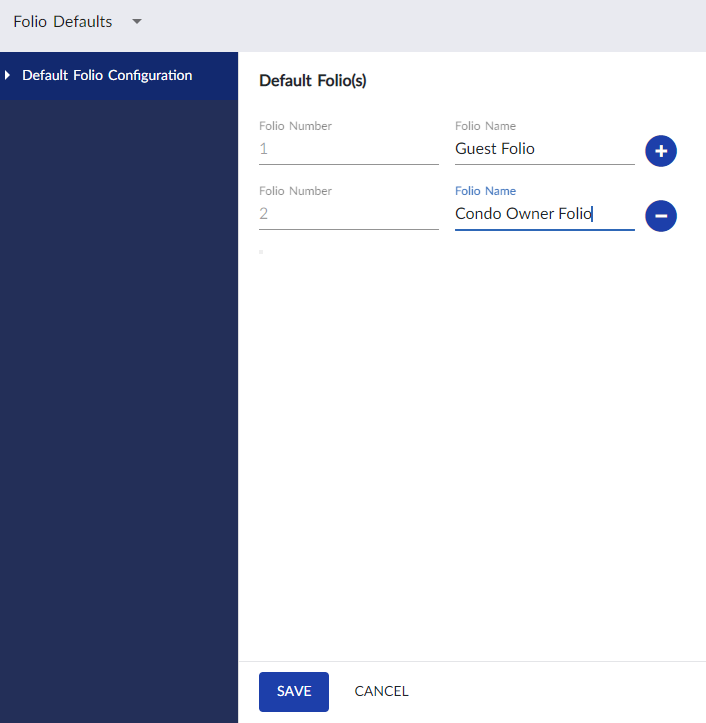
Click Save.
Users can click the Plus icon next to the folio to add more folios.